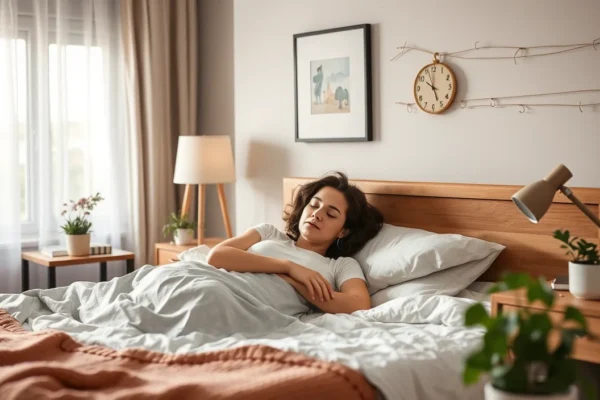
You go to bed at a reasonable hour. You wake up exhausted anyway. Sound familiar? Millions of people face this exact problem, not because they sleep too little, but because their environment works against them. Harsh lights stay on too long. The room is too warm. Screens keep buzzing. Your body never fully gets the signal that it is time to rest.
This is precisely where a smart home sleep routine changes everything. By automating your lights, thermostat, sound, and security on a scheduled sequence, your home actively prepares your body for deep, restorative sleep every single night without you lifting a finger.
This guide is built on sleep science, real device testing, and expert insights. Whether you are a first time smart home user or you already own a few devices, you will walk away with a clear, step by step system to sleep better starting tonight. We cover everything from choosing the right hub and devices to building bedroom automations that sync with your body clock, all explained simply enough for any age to follow and understand.
What Is a Smart Home Sleep Routine
A smart home sleep routine is a scheduled sequence of automated actions your connected devices perform each night to signal your body it is time to wind down and sleep. Instead of remembering to dim lights, lower the thermostat, lock doors, and silence devices, your home does it all automatically at a preset time.
Think of it as a gentle, invisible bedtime coach that nudges your environment into sleep mode so your brain can follow. The devices involved typically include smart bulbs, a smart thermostat, a smart speaker, smart locks, and smart plugs, all coordinated through a central app or hub.
How Smart Home Sleep Routines Improve Sleep Quality
Smart home sleep routines improve sleep by removing friction from your wind down process. Automated lighting, temperature control, and sound management lower cortisol levels and boost melatonin production, the hormone that signals sleep onset, by up to 30 minutes faster compared to manual routines.
Research from 2024 analyzed data across more than 178,000 households and found that smart thermostats with motion sensors could successfully identify three distinct groups of sleep quality among users, all without requiring people to wear any tracking devices. When your home environment responds consistently each night, your brain learns to associate those environmental cues with sleep. That consistency is the real power of automation.
Gradual light dimming lowers alertness naturally 30 to 60 minutes before bed. Automated thermostat control drops bedroom temperature to the sleep optimal range of 65 to 68 degrees Fahrenheit. Door locks and security checks eliminate the mental checklist that delays sleep onset. Sound scheduling drowns out disruptive noise with white noise or nature sounds. Scheduled device shutdowns reduce blue light and late night screen temptation that the average person underestimates as a sleep disruptor.
Best Smart Home Devices for a Sleep Routine
The best smart home devices for a sleep routine include smart bulbs, a smart thermostat, a smart speaker, smart locks, and smart plugs. These five categories cover every major environmental factor that affects sleep quality, and you do not need all five to start. Even one or two well chosen devices can meaningfully improve your nightly rest.
Smart Lighting Systems for Bedtime Automation
Smart lighting is the single most impactful device category for sleep quality improvement. Light plays a pivotal role in your sleep cycle by signaling to your body when it is time to sleep and wake up. Smart lighting helps recalibrate this signal by mimicking the natural progression of daylight and gradually dimming as bedtime approaches, which is a powerful and scientifically validated cue for melatonin release.
Top picks worth considering include the Philips Hue White Ambiance bulbs with warm 2700K color temperature, LIFX smart bulbs for color temperature scheduling without a separate hub, and Lutron Caseta dimmer switches for whole room control that works with your existing bulb types.
Warm Color Temperature Settings for Sleep
Set your smart bulbs to below 3000K color temperature by 8 PM. Warm amber and red tones have minimal impact on melatonin production, while cool blue white light above 5000K suppresses it significantly. Most smart home apps including Philips Hue, Google Home, and Amazon Alexa allow you to schedule automatic color temperature shifts throughout the evening so the transition happens without any manual input from you.
Smart Thermostats That Learn Your Sleep Schedule
Many smart thermostats learn from your habits over time, adjusting to your preferred sleep schedule and temperature preferences. Some advanced models integrate with sleep tracking devices to optimize temperature based on your actual sleep stages throughout the night rather than a fixed schedule you program in advance.
The Nest Learning Thermostat and Ecobee SmartThermostat are the two leading options in this category. Both integrate with Google Home, Amazon Alexa, Apple HomeKit, and Samsung SmartThings. Set your sleep temperature to 65 to 68 degrees Fahrenheit, which research consistently identifies as the range that supports the fastest sleep onset and the most restorative deep sleep cycles.
Schedule Based vs Learning Thermostat Modes
Schedule based thermostats follow a fixed daily program you create manually in the app. Learning thermostats observe your behavior for one to two weeks and automatically generate a program based on your real patterns. For sleep routines, a learning thermostat is more forgiving because it adapts to weekend schedule shifts automatically without you needing to create separate weekend and weekday programs.
Smart Speakers and Sound Machines for Wind Down
You can turn your bedroom into a tranquil sleep environment with a smart sound system by scheduling calming sounds to play automatically as part of your bedtime routine. As your lights dim and your room cools down, your chosen sounds start playing to create a relaxing atmosphere that prepares both your mind and body for sleep without any effort on your part.
Amazon Echo, Google Nest Audio, and Apple HomePod all support scheduled ambient sound playback through their respective apps. You can also pair a dedicated white noise device like the LectroFan or Marpac Dohm with a smart plug to add it into your automation sequence and give it a scheduled start and stop time each night.
How to Choose a Smart Home Hub for Sleep
Your smart home hub is the brain that coordinates all device automations. Choosing the right hub means considering which devices you already own, which voice assistant you prefer, and whether you want local processing for maximum reliability. The most popular options are Google Home, Amazon Alexa, Apple HomeKit, and Samsung SmartThings.
| Hub | Best For | Voice Assistant | Free Automations | Local Processing |
|---|---|---|---|---|
| Google Home | Android users, Nest devices | Google Assistant | Yes | Limited |
| Amazon Alexa | Echo owners, broad device support | Alexa | Yes | Limited |
| Apple HomeKit | iPhone and Mac users | Siri | Yes | Yes |
| Samsung SmartThings | Mixed brand homes, advanced rules | Bixby and Alexa | Yes | Yes |
| Home Assistant | Advanced users, full local control | Multiple | Yes | Full |
Amazon Alexa Sleep Routine Setup Steps
Setting up a sleep routine in Amazon Alexa takes under five minutes and requires no technical knowledge. Open the Alexa app, tap More, select Routines, then tap the plus sign to create a new routine. You can program a routine where your lights gradually dim to help you get to sleep, so when you say a trigger phrase like “Alexa, goodnight,” your entire lighting setup fades away automatically.
The step by step process begins with opening the Alexa app and navigating to More then Routines. Tap the plus sign and name your routine “Bedtime.” Set the trigger as a scheduled time such as 9:30 PM or use a voice phrase as the trigger instead. Add an action for Smart Home, select your lights, and set them to 20 percent warm white. Add another action for your thermostat and set it to 67 degrees. Add a music action and select a Sleep Sounds skill. Add a final Smart Home action to lock your front door. Save the routine and test it by activating it manually once to confirm every device responds correctly.
Google Home Automation for Bedtime
In Google Home, navigate to the Automations tab and select New Automation. Choose time of day as your starter condition and add actions for each device you want to include. Google Home supports multi step automations and integrates natively with Nest thermostats and Philips Hue through the Works with Google program. The interface is clean and approachable for beginners while still offering enough flexibility for advanced customization.
Using Google Routines With Nest Thermostat
If you own a Nest thermostat, Google Home offers deeper integration than any competing platform. You can create a single routine that dims your Philips Hue lights, sets the Nest to 67 degrees, locks your Yale or Schlage smart lock, and plays a rain sounds playlist on your Nest Audio speaker, all triggered at one scheduled time each evening. This level of native integration removes compatibility headaches that can arise when mixing brands from different ecosystems.
Apple HomeKit Bedtime Automation Guide
Apple HomeKit offers the most privacy focused option because automations run locally on your HomePod mini hub without sending data to cloud servers during execution. Open the Home app, tap the Plus icon, select Automation, then choose a time based trigger. Add scenes or individual device actions for lights, thermostat, and locks. HomeKit’s clean interface and tight integration with iPhone make it the easiest platform for users already in the Apple ecosystem.
Step by Step Smart Home Sleep Routine Setup
Setting up a complete smart home sleep routine takes 20 to 30 minutes and requires at least one smart hub and two connected devices. A good routine is not just one event at one time. It is a sequence of gradual changes that ease your body into sleep over 45 to 60 minutes, much like the natural transition from afternoon to evening works on your biology.
A gentle transition to sleep can be created with automations that gradually dim lights, cool the house, and quiet notifications starting 30 minutes before bedtime, with an easy override option for nights when you want to stay up later without triggering the full sequence.
The complete setup sequence works as follows. Sixty minutes before bed, smart bulbs shift from cool white to warm amber automatically. Forty five minutes before bed, the thermostat begins dropping toward your sleep temperature. Thirty minutes before bed, living room lights dim to 20 percent brightness. Fifteen minutes before bed, your smart speaker starts playing white noise or sleep sounds at a low, comfortable volume. At bedtime itself, all lights except nightlights turn off, doors lock, security cameras activate, and Do Not Disturb mode enables on your connected devices. Twenty minutes before your morning alarm, the thermostat warms slightly and lights begin a gentle simulated sunrise sequence.
How to Set Up Bedroom Smart Lighting Scenes
A lighting scene is a saved combination of brightness level and color temperature that you can activate with a single command or scheduled trigger. Create three scenes for evening use. Name the first Wind Down and set it to 40 percent warm white for the early evening relaxation period. Name the second Bedtime and set it to 5 percent deep amber for the final wind down window. Name the third Night and set it to 1 percent deep red for any nighttime bathroom trips that should not fully wake you or disrupt melatonin levels.
Philips Hue Evening Routine Configuration
In the Philips Hue app, open Routines and select Go to Sleep. Set your target bedtime and choose a fade duration of 30 to 45 minutes. The Hue app automatically calculates the gradual dimming curve and color temperature shift without you specifying every step manually. You can further customize this routine in the Hue app under Settings then Routines and adjust the start time, fade speed, and color temperature endpoint independently to match your specific preferences.
Smart Thermostat Sleep Mode Programming
Program your thermostat to begin cooling the bedroom 45 minutes before your target sleep time. This lead time accounts for the room needing 20 to 30 minutes to actually reach optimal temperature, which means if you want your room at 67 degrees when you get into bed at 10 PM, you should start the cooling cycle at around 9:15 PM. Set a separate sleep schedule on your thermostat that is distinct from your away and home schedules to avoid any conflicts between different modes overriding each other.
Smart Home Bedroom Setup for Better Sleep
Your bedroom layout and the physical placement of smart devices directly affects how well your sleep automations perform in practice. Place smart bulbs in all bedroom fixtures including reading lamps and floor lamps so no single harsh light can undermine your carefully programmed evening scene. Install your smart thermostat sensor in the bedroom rather than the hallway if your model supports remote sensors, because hallway temperatures can differ by several degrees from actual bedroom conditions.
Ideal Smart Bedroom Device Placement Guide
Position your smart speaker or white noise device at least three feet from your bed to avoid sound that is too directional or too close to one ear. Mount smart blinds or motorized curtains on east facing windows if possible, since those windows receive early morning sunlight that is one of the most common causes of premature waking in spring and summer months. Keep your smart hub or router signal strong in the bedroom to prevent automation failures caused by a weak Wi Fi connection at the edge of your home’s coverage area.
Smart Blackout Blinds and Sleep Quality
Smart blinds from brands like Somfy, IKEA Fyrtur, and Lutron Serena can be scheduled to close at your bedtime trigger and open gradually in the morning as part of a simulated sunrise sequence. This single addition can improve sleep continuity significantly, particularly for people in urban areas with street lighting, early sunrise in summer, or light pollution from neighbors. The combination of automated blackout blinds closing at night and a gradual light based wake up in the morning recreates the natural sleep environment that humans evolved to sleep in before artificial lighting existed.
Air Quality Monitoring for Sleep Environments
Poor air quality disrupts sleep by triggering micro awakenings that your conscious mind may never register but that prevent you from reaching or sustaining deep sleep stages. Smart air quality monitors from Airthings, Awair, or Amazon measure CO2, humidity, and particulate levels and can trigger automations when thresholds are crossed, such as turning on an air purifier automatically.
While smart air quality technologies can significantly improve your sleeping environment, it is important to combine them with good practices such as regular cleaning, using hypoallergenic bedding, and ensuring proper ventilation. Connect a smart air purifier like a Dyson or Coway Airmega to your hub and schedule it to run at maximum speed 30 minutes before bed, then drop to its quietest mode at your bedtime trigger so noise does not become a new disruption.
Smart Sleep Trackers and Monitoring Devices
Sleep trackers give you objective data about how well your automation is actually working night after night. They measure sleep stages, heart rate, breathing patterns, and room environment variables that correlate with sleep quality. Armed with this data, you can fine tune your automation settings over weeks and months to dial in the exact conditions your body responds to best.
Wearable vs Contactless Sleep Trackers
Wearable trackers including the Oura Ring, Fitbit Sense 2, and Garmin Vivosmart 5 offer the most accurate sleep stage detection because they measure heart rate variability directly at the wrist or finger. Contactless options like the Withings Sleep Analyzer placed under your mattress or the Google Nest Hub second generation using its built in radar based Sleep Sensing are easier to maintain and do not require charging every few days, making them better for long term consistent tracking without habit friction.
Connecting Sleep Trackers to Home Automations
Some sleep trackers can trigger smart home automations based on your actual sleep state rather than a fixed schedule, which is a significant upgrade over time based triggers. The Oura Ring integrates with IFTTT and Home Assistant, allowing your smart home to respond dynamically to what your body is doing. For example, if your tracker detects you have fallen asleep, your smart speaker can automatically lower its volume from the initial playback level without waking you, creating a system that adapts to you rather than forcing you to adapt to it.
Using Sleep Data to Improve Your Automation
Review your sleep tracker data every week and look for correlations between your bedtime automation trigger time and your actual sleep onset time, which is the moment the tracker registers you transitioning from wakefulness to sleep. If you consistently take 45 minutes to fall asleep after your routine starts, shift your trigger 15 minutes earlier and give the environment more time to shift before you attempt sleep. Small adjustments compounded over weeks produce significant sleep quality improvements that accumulate into better health outcomes over months and years.
Smart Home Security as Part of Sleep Routine
One overlooked reason people sleep poorly is low level anxiety about home security. Wondering whether you locked the front door or whether the garage is closed creates a cognitive load that keeps your nervous system slightly elevated when it should be fully relaxing. A complete bedtime automation eliminates this mental checklist entirely.
A nighttime security routine can ensure everything is securely handled as you wind down. Program it to turn off all downstairs lights, lock smart locks on all exterior doors, activate outdoor cameras, arm your smart alarm system, and confirm the garage door is closed, all triggered by your single bedtime routine activation.
The security checklist worth automating at bedtime includes locking all exterior doors via smart locks with a confirmation sound or notification, arming security cameras in outdoor and entryway positions, closing the smart garage door if applicable with a status confirmation, activating motion alerts for perimeter zones overnight, and turning off non essential smart plugs to reduce both fire risk and energy consumption during sleeping hours.
Best Smart Locks for Bedtime Routines
The Schlage Encode Plus, Yale Assure Lock 2, and August Wi Fi Smart Lock all support direct integration with Google Home, Alexa, and Apple HomeKit without requiring an additional bridge device. Schedule automatic locking at your bedtime trigger time with a confirmation announcement from your smart speaker so you always receive audible confirmation that the door is secured. Each of these locks also supports auto lock timers as a backup in case your routine fails to trigger on a given night.
Smart Home Sleep Routine for Kids and Families
Children benefit enormously from consistent bedtime routines, and smart home automation removes the negotiation and conflict from the process entirely. When the lights change by themselves, the environment itself becomes the authority rather than the parent, which reduces bedtime resistance and makes the whole process calmer for everyone in the household.
Setting up a routine that means lights dim when it is time for children to go to bed helps you get your little ones settled without repeated verbal reminders that can escalate into arguments. The light change becomes a shared, neutral signal rather than a parental demand.
Child Friendly Bedtime Automation Settings
For children aged three to ten, program bedroom lights to shift to a deep warm amber glow one full hour before bed and reduce to nightlight level at actual bedtime. Pair this with a gentle chime or soft music tone from a smart speaker as a five minute warning before lights go to nightlight level. The light change itself acts as a reliable and non confrontational bedtime signal that teaches children to self regulate their wind down process rather than depending entirely on parental direction each night.
Managing Screen Time With Smart Plugs
Connect your child’s TV, gaming console, and tablet charger to individually controlled smart plugs. Schedule these plugs to turn off at the start of the wind down window, which removes screens from the equation entirely without requiring any app based parental controls. Unlike parental control apps that children often learn to bypass as they get older, a physical power cutoff removes the temptation at the hardware level and is impossible to work around.
Weekend Sleep Schedule Flexibility Settings
Most smart home platforms allow you to create separate schedules for weekdays and weekends within the same routine setup. Day of week settings allow different bedtime trigger times for weekdays versus weekends, and you can build in additional modes to skip the routine entirely during guest stays or special occasions. Build your weekend schedule to start the routine 30 to 60 minutes later than your weekday setting to accommodate natural schedule variation without abandoning the routine structure that makes it effective.
Troubleshooting Common Smart Sleep Routine Problems
Even a well designed sleep automation can run into issues that undermine your routine. Understanding the most common failure points saves hours of frustration and helps you build a more resilient system from the start.
Devices Not Responding at Scheduled Time
The most common cause of missed automations is a hub firmware update that reset or disabled your routines without obvious notification. Check your hub app after any system update and verify all scheduled routines are still active and set to the correct time. A second common cause is Wi Fi dead zones in the bedroom, where signal strength is too weak to reliably reach your smart bulbs or thermostat. Move your router closer, add a Wi Fi extender, or consider a mesh network node placed near the bedroom to ensure consistent device connectivity throughout the night.
Local vs Cloud Automation Reliability
Cloud dependent automations fail when your internet connection drops, which is a real risk in areas with unreliable service or during storms. For sleep routines where reliability is critical every single night, choose platforms with local processing capability. Apple HomeKit with a HomePod mini hub and Home Assistant running on a local server both execute automations without requiring internet access, making them the most reliable long term choices for sleep routines that must work even when your connection does not.
Smart Lights Flickering During Sleep Scenes
Flickering during dimming scenes usually indicates an incompatibility between your smart dimmer switch and your LED bulbs. Not all LED bulbs support the trailing edge dimming method used by most smart switches, and the mismatch causes visible flickering at low brightness levels. Check the compatibility list on your dimmer manufacturer website or solve the problem entirely by switching to smart bulbs with their own built in dimming controller paired with a standard non dimming switch, which eliminates the switch bulb compatibility issue completely.
Energy Savings From a Smart Sleep Routine
A well designed sleep routine does not just improve your sleep. It meaningfully reduces your home’s energy consumption and lowers your utility bills, making it a genuinely practical investment beyond the health benefits alone.
Automated schedules for thermostats, lights, and appliances stop wasting energy on rooms and devices that serve no function during sleeping hours. Smart plugs save energy by automatically turning off devices that are not in use based on a timer function, eliminating the phantom power draw that idle electronics consume continuously.
The average household saves 10 to 15 percent on electricity costs by automating device shutoffs at bedtime. A smart thermostat alone can save up to $150 per year according to the US Department of Energy, by reducing heating and cooling during overnight hours and implementing precise setback temperatures that a traditional programmable thermostat cannot match for accuracy and adaptability.
Advanced Smart Sleep Automations to Try
Once your basic routine is running smoothly and you have confirmed all devices respond reliably, these advanced automations take your sleep setup to a significantly higher level of effectiveness.
Circadian Rhythm Lighting Schedules All Day
True circadian lighting is not just a bedtime feature. It runs throughout the entire day, starting with cool bright 6500K light in the morning to boost alertness and energy, transitioning to a neutral 4000K in the afternoon for focused work, then shifting to warm 2700K by early evening and deep amber 1800K by late evening. This full day light schedule powerfully reinforces your natural sleep wake cycle and makes your bedtime automation far more effective because your body has been receiving consistent biological cues all day rather than just in the final hour before bed.
Setting Up Circadian Mode in Philips Hue App
Philips Hue includes a built in Circadian Rhythm option in its Routines menu called Natural Light Cycle. Enable this setting and the app automatically manages color temperature transitions throughout the day based on local sunrise and sunset times for your specific geographic location, updating seasonally as day length changes. This is one of the most impactful single settings changes you can make for overall sleep health because it works with your biology continuously rather than only at the end of the day.
Voice Command Shortcuts for Instant Sleep Mode
Create a single voice command that triggers your entire sleep routine on demand for nights when you want to sleep earlier than your scheduled automation time. In Alexa, create a routine triggered by the phrase “Alexa, goodnight.” In Google Home, use “Hey Google, bedtime.” Both platforms execute all your evening automations instantly with a single spoken command, which is far more convenient than manually adjusting multiple devices when you decide to head to bed earlier than planned.
Creating a One Tap Sleep Scene on Your Phone
In both Google Home and Apple Home apps, you can add a shortcut widget directly to your phone lock screen or home screen that activates your entire sleep scene with a single tap. This works particularly well if you go to bed at irregular times and do not want to use voice commands that might disturb a sleeping partner. The widget appears on your screen without needing to unlock your phone or open any app, which removes friction at the exact moment you most want a frictionless experience.
Smart Home Sleep Routine on a Budget
You do not need to spend thousands of dollars to build an effective sleep automation system. A genuinely functional setup can be built for under $150 using just three device types, and the three most impactful environmental factors, light and sound and temperature, can all be addressed at this price point.
A budget friendly starter kit consists of a smart bulb such as the Wyze Bulb Color at around $10 each to handle light scene and color temperature scheduling, a smart plug such as the Amazon Smart Plug at around $15 to control your existing white noise machine or fan on an automatic schedule, and an Amazon Echo Dot at around $35 to serve as the hub, voice controller, Alexa routines engine, and sleep sounds player all in one small device. This three component setup covers the two most impactful sleep factors at minimal cost and gives you a foundation to build on over time.
Free Apps That Enhance Smart Sleep Routines
Several free apps significantly improve your sleep automation without requiring any additional hardware purchases. Sleep as Android offers smart alarm capabilities, sleep cycle tracking, and direct integration with Philips Hue lights at no cost. The Amazon Alexa Sleep Sounds skill is completely free and provides over 100 ambient sound options including rain, ocean waves, brown noise, and fan sounds. Google Home’s free Wind Down feature on Pixel phones automatically enables Do Not Disturb and reduces screen brightness on a schedule that can synchronize with your smart home routine to create a unified whole home and device wind down experience.
Smart Home Sleep Routine Mistakes to Avoid
Even experienced smart home users make these common mistakes that undermine sleep quality despite having good intentions and solid device setups. Knowing these pitfalls in advance saves you weeks of troubleshooting and frustration.
Setting the routine trigger too close to your actual bedtime leaves no wind down window, and your body needs 30 to 60 minutes to respond to environmental cues before sleep onset is possible. Fix this by starting automations at least 45 minutes before your target sleep time rather than at the moment you plan to get into bed.
Using bright overhead lights in your smart lighting scene instead of table lamps and floor lamps undermines the dimming effect because overhead lights create an even, energizing light field across the whole room rather than the lower, softer pools of light that communicate safety and rest to your nervous system.
Keeping your smart speaker within arm’s reach tempts late night phone checking even when Do Not Disturb is active on your phone, because the physical proximity of any screen creates a psychological pull that is hard to resist when you cannot fall asleep immediately.
Forgetting to schedule Do Not Disturb mode on all devices rather than just your primary phone means tablets, secondary phones, and smart displays can still generate disruptive light and notification sounds after your main phone has gone quiet.
Using white spectrum nightlights rather than red spectrum nightlights for any nighttime bathroom trips means even a brief exposure to white light during the night can partially suppress melatonin and make returning to sleep significantly harder than it needs to be.
What Experts Say About Sleep Automation
Sleep scientists and wellness experts consistently support the use of environmental automation for sleep improvement, with specific endorsements for light management and temperature control as the two highest impact levers available to the average person without medical intervention.
According to Jamie Gold, a Mayo Clinic Certified Wellness Coach and author of Wellness by Design, there are specific wellness features that support healthy sleep, and automated functionality is a core component of a home that is genuinely designed to support health outcomes rather than just convenience.
The American Academy of Sleep Medicine recommends maintaining a cool, dark, and quiet bedroom environment as the foundation of good sleep hygiene. Smart home automation is the most consistent and effortless way to achieve all three of these conditions every single night regardless of what else is happening in your day. For deeper reading on sleep hygiene principles backed by clinical research, the National Sleep Foundation and Sleep Foundation both offer comprehensive free resources that complement a smart home setup and help you understand the science behind every automation decision you make.
Frequently Asked Questions
What Is the Best Temperature for Smart Thermostat Sleep Mode?
Set your thermostat to 65 to 68 degrees Fahrenheit, which is 18 to 20 degrees Celsius, for the sleep period. This temperature range supports the natural drop in core body temperature that triggers deep sleep onset and sustains slow wave sleep throughout the night.
Can a Smart Home Sleep Routine Help With Insomnia?
Yes, environmental consistency is one of the core behavioral interventions recommended for chronic insomnia in clinical settings. Smart home automation delivers that consistency automatically, removing the mental effort and decision making that often works against sleep in people with insomnia by adding unnecessary stress to the bedtime process.
Do I Need a Hub or Can I Use Wi Fi Only Devices?
Wi Fi only devices work with Alexa and Google Home without a separate hub beyond the app itself. However, a dedicated hub like SmartThings or a HomePod mini provides more reliable automation, faster device response times, and local processing that continues working even if your internet service goes down temporarily.
How Long Does It Take to See Sleep Improvement From a Smart Routine?
Most people report noticeable improvement in sleep onset speed and morning energy levels within one to two weeks of consistent routine operation. Full circadian rhythm adjustment to a new consistent environmental cue pattern typically takes three to four weeks of nightly repetition before the benefits fully stabilize.
Which Smart Home Platform Is Easiest for Beginners to Set Up?
Amazon Alexa is widely considered the most beginner friendly platform because the routine builder in the Alexa app is straightforward, the device compatibility list is the broadest of any platform, and setup rarely requires more than plugging in a device and adding it through the app in under two minutes.
Is a Smart Sleep Routine Worth It for People Who Travel Frequently?
Yes, and arguably more so than for people with fixed schedules. Most smart home platforms allow you to pause, skip, or remotely adjust your routine from anywhere using the app, so your home can still prepare itself for your return or maintain security automations while you are away without any manual intervention.
Conclusion: Start Your Smart Sleep Routine Tonight
Poor sleep is not just an inconvenience. Over time it erodes your health, your mood, your productivity, and your overall quality of life in ways that accumulate gradually and are easy to underestimate until the deficit becomes impossible to ignore. The good news is that building a smart home sleep routine is one of the most accessible and high return home improvement projects available today, and the benefits begin on the very first night you run the routine consistently.
Start with just one device this week. Add a single smart bulb or smart plug and set up your first scheduled bedtime automation using the steps in this guide. Then build from there, adding a thermostat, smart locks, and sound automation as your budget and comfort level allow. Each addition compounds the benefit of everything already in place.
Your home should work with your body, not against it. With the right automation sequence running every night, it will do exactly that.

- When Can Babies Start Sleeping on Their Stomach? - March 1, 2026
- Can Babies Sleep on a Slight Incline? Safety Guidelines - March 1, 2026
- 10 Natural Ways to Improve Your Sleep Quality Tonight - March 1, 2026